


Quick Answer
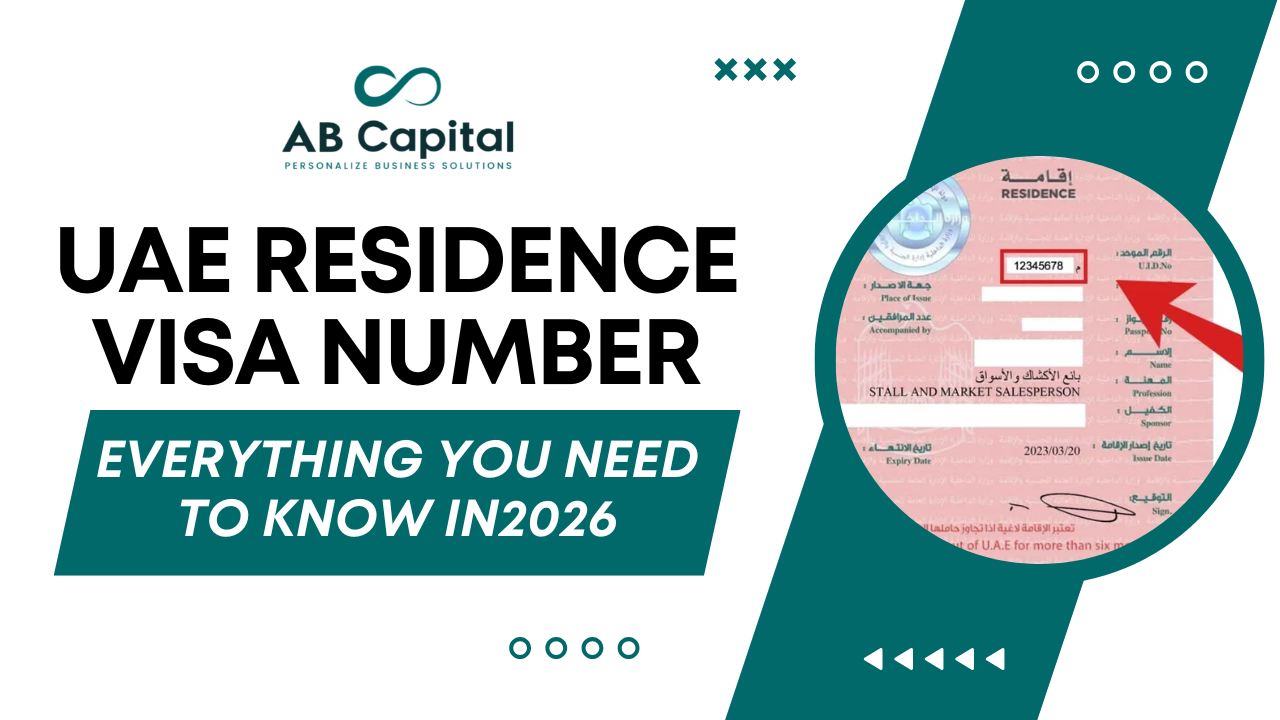
In short, Your UAE residence visa number is a 10-digit code that starts with XXX/YYYY/ZZZZZZZ. You’ll find it in the bottom-right area of your visa sticker.’
Your UAE residence visa number is the unique identifier printed on your UAE residence visa sticker in your passport or on your e-visa document. It follows the format XXX/YYYY/ZZZZZZZ where XXX is the emirate code (201 for Dubai, 101 for Abu Dhabi), YYYY is the year of issue, and ZZZZZZZ is your unique 7-digit file number. This number is your primary identifier within the UAE immigration database. You need it to renew your visa, apply for your Emirates ID, sponsor family members, open a bank account, and complete virtually every official process in the UAE. It is different from your UID number and your Emirates ID number — all three are separate identifiers with different purposes.
1. What Is a UAE Residence Visa Number?
A UAE residence visa number — also called a visa file number, residence file number, or unique visa serial number — is the specific reference code assigned to your UAE residence visa when it is issued by the immigration authorities. It is the number that links your identity to your specific visa record in the UAE immigration system.
Every UAE resident has one. Every time your visa is renewed, a new number is issued for the new visa. The number is not permanent — it changes with each new visa or renewal. This is one of the most important distinctions to understand, because your UID number (Unified Identity Number) is permanent and stays the same across all visas, while your residence visa number is specific to each visa document.
Why this number matters more than most residents realise: the UAE immigration system, the banking system, the health insurance system, and multiple government databases all use the residence visa number as the primary reference for your residency status. Giving a wrong number — or confusing it with your Emirates ID number or your UID — causes system rejections, delayed applications, and failed bank account verifications. Getting this right is not a minor administrative detail.
2. The UAE Residence Visa Number Format Explained
Understanding the format of your UAE residence visa number helps you read it correctly, enter it accurately on forms, and distinguish it from your other UAE identification numbers.
Standard format: XXX/YYYY/ZZZZZZZ
The standard UAE residence visa number format in 2026 is: Emirate Code / Year of Issue / Unique 7-Digit Number
An example of a Dubai-issued residence visa number looks like: 201/2024/1234567
| Component | What It Represents | Example |
|---|---|---|
| XXX (first 3 digits) | Emirate code — identifies which emirate issued the visa | 201 = Dubai, 101 = Abu Dhabi, 301 = Sharjah, 401 = Ajman, 501 = Umm Al Quwain, 601 = Fujairah, 701 = Ras Al Khaimah |
| YYYY (4 middle digits) | Year the visa was issued | 2024, 2025, 2026 |
| ZZZZZZZ (last 7 digits) | Your unique visa file serial number within that year and emirate | 1234567 — unique to you |
Variations to be aware of: not all UAE residence visa numbers follow exactly this format. Older visas and visas issued in certain circumstances may appear as a 9 to 14 character string without the standard slash separators. Some e-visa documents display only the 7 or 8 digit unique serial component without the emirate prefix. If your number appears shorter or longer than expected, it is likely one of these variations — not an error. When entering your visa number on government portals, try the format shown on your document first, and if the portal does not accept it, try entering only the numeric portion without slashes.
The emirate code at a glance
| Emirate Code | Emirate | Visa Issuing Authority |
|---|---|---|
| 201 | Dubai | General Directorate of Residency and Foreigners Affairs Dubai (GDRFA) |
| 101 | Abu Dhabi | Federal Authority for Identity, Citizenship, Customs and Port Security (ICA) |
| 301 | Sharjah | ICA (federal) |
| 401 | Ajman | ICA (federal) |
| 501 | Umm Al Quwain | ICA (federal) |
| 601 | Fujairah | ICA (federal) |
| 701 | Ras Al Khaimah | ICA (federal) |
Important practical note: Dubai is the only emirate where the General Directorate of Residency and Foreigners Affairs (GDRFA) operates independently of the federal ICA system. If your visa starts with 201, use the GDRFA Dubai portal or app for all visa inquiries and renewals. If your visa starts with any other code, use the ICA Smart Services portal. Using the wrong portal for the wrong emirate code is one of the most common reasons residents cannot find their visa records online.
3. Three Numbers Every UAE Resident Must Know — and Not Confuse
The UAE immigration and identity system uses three separate identification numbers. Confusing them is one of the most common mistakes residents make when filling government forms, banking applications, and insurance portals. Here is a clear breakdown of each.
| Identifier | What It Is | Format | Does It Change? | Where to Find It |
|---|---|---|---|---|
| UAE Residence Visa Number | Identifies your specific visa document | 201/2026/XXXXXXX (example) | Yes — changes with every new or renewed visa | Visa sticker in passport or e-visa PDF |
| UID Number (Unified Identity Number) | Your permanent identity in the UAE immigration system across all visas | 9 to 15 digits (permanent) | No — stays the same forever across all visas and renewals | Printed on your visa document above the file number; also on Emirates ID |
| Emirates ID Number | Your national ID card number for identification within the UAE | 784-XXXX-XXXXXXX-X (15 digits) | No — permanent once issued | Printed on the front of your Emirates ID card |
The single most important distinction: your UID number is permanent and never changes regardless of how many times you renew your visa or change jobs. Your residence visa number is new each time a new visa is issued. When a form asks for your visa number it wants the document-specific number with the format 201/YYYY/XXXXXXX. When a form asks for your UID or unified number it wants the permanent number printed above the file number on your visa or on your Emirates ID. These are completely different fields and entering the wrong one causes system rejection.
4. Where to Find Your UAE Residence Visa Number
There are multiple places where your UAE residence visa number is accessible. Knowing all of them means you are never stuck when a form or portal asks for it.
Location 1: Your passport visa sticker
If you have a physical visa stamp in your passport, open to the page where the UAE residence visa sticker is attached. Look for a field labelled Visa Number, File No., or Residence File Number. It will appear in the format 201/YYYY/XXXXXXX or similar. This is the most authoritative source — the number exactly as the immigration authority printed it.
Location 2: Your e-visa document
Since 2021, the UAE has moved progressively toward digital visa issuance. Most UAE residence visas issued in 2024, 2025, and 2026 are e-visas — digital documents issued without a passport stamp. Your e-visa is a PDF document sent by email or available for download from the GDRFA or ICA portal. Open the PDF and look in the top section for the field labelled Visa Number or File Number. This is your residence visa number.
Location 3: The GDRFA Dubai app and website (for Dubai visas)
If your visa code starts with 201 (Dubai), you can retrieve your visa number through the GDRFA Dubai portal at gdrfad.gov.ae or through the GDRFA Dubai app available on iOS and Android. Log in with your passport number and date of birth. Navigate to visa inquiries or unified number inquiry. Your full visa file number will be displayed along with your visa status and expiry date.
Location 4: ICA Smart Services portal (for non-Dubai visas)
For visas issued in Abu Dhabi, Sharjah, Ajman, or any other emirate, use the ICA Smart Services portal at icp.gov.ae. Enter your passport number, nationality, date of birth, and gender. The system will return your visa information including your file number, UID, and visa status.
Location 5: Your Emirates ID
Your Emirates ID card does not display your visa number directly. However, the UID number printed on your Emirates ID card can be used on the GDRFA or ICA portal to retrieve your current visa file number. Additionally, the ICA system links your Emirates ID to your visa record — many bank and government portals accept either your Emirates ID number or your visa number interchangeably for resident identification.
Location 6: Ask your employer or free zone authority
If you are on an employment visa or a free zone investor visa, your employer or free zone authority holds a copy of your visa document and can provide the number. This is particularly useful if you are a new resident who has not yet received their physical documents or downloaded their e-visa PDF.
5. How to Check Your UAE Residence Visa Number Online
Checking your UAE residence visa number online is possible through official government portals without needing a third party. Here is the step by step process for both the GDRFA Dubai portal (for Dubai visas) and the ICA portal (for all other emirates).
Checking your visa number on the GDRFA Dubai portal
- Visit gdrfad.gov.ae on your browser
- Select ‘Services’ from the main menu and then choose ‘Unified Number Inquiry’
- Enter your passport number exactly as it appears in your passport — no spaces
- Enter your nationality, date of birth, and gender
- Submit the form
- The system will display your UID number, your current visa file number (which is your residence visa number), your visa type, your visa expiry date, and your visa status
Checking your visa number on the ICA Smart Services portal
- Visit icp.gov.ae
- Navigate to ‘Inquiries’ and select ‘Residency Enquiry’ or ‘Visa Status’
- Enter your passport number, country of issue, and date of birth
- Submit the enquiry
- Your visa details including the file number will be displayed
Common reasons your visa number does not appear on the portal
- Your visa was issued less than 7 working days ago: the system takes time to update after initial issuance. Try again after one week.
- You entered the wrong passport number: even a single digit error causes ‘no record found.’ Double-check every character.
- You are using the wrong portal: Dubai visas require the GDRFA portal. Non-Dubai visas require the ICA portal. Using GDRFA for an Abu Dhabi visa will not find your record.
- Your visa has expired and been cancelled: cancelled visas are archived and may not appear in standard inquiries. Contact the relevant authority directly.
- System technical issues: the GDRFA and ICA portals experience periodic downtime during peak periods. Try again after 24 hours.
6. When You Need Your UAE Residence Visa Number
Your UAE residence visa number is required for a wide range of official processes. Understanding when you need it helps you keep it accessible and avoid delays at critical moments.
| Process | Why Visa Number Is Required | Which Portal Handles It |
|---|---|---|
| Emirates ID application | ICA links your Emirates ID to your visa number in the immigration database | ICA Smart Services |
| Emirates ID renewal | The renewal application references your existing visa record | ICA Smart Services or typing centres |
| Visa renewal | The new visa application is linked to your existing file number for continuity of your UAE immigration record | GDRFA (Dubai) or ICA (other emirates) |
| Family dependent visa sponsorship | Your residence visa number confirms your residency status and sponsorship eligibility | GDRFA (Dubai) or ICA (other emirates) |
| Corporate bank account opening | Banks verify your residency status using your visa number during KYC review | Bank’s internal compliance system |
| Personal bank account opening | Banks verify Emirates ID and cross-reference visa number for residency confirmation | Bank’s internal compliance system |
| Health insurance enrollment | Insurance policies in Dubai are linked to visa records through the DHA system | Insurance provider |
| School enrollment for children | Schools require proof of parental residency — visa number on the visa document suffices | KHDA and school admission office |
| Job change or visa transfer | New employment visa links to your existing UID — the file number connects the records | MOHRE and GDRFA or ICA |
| UAE driving licence application | RTA verifies your residency status through your visa number | RTA (Roads and Transport Authority) |
| Property tenancy contract | Ejari registration requires your visa number and Emirates ID | Dubai Land Department |
7. UAE Residence Visa Number vs Emirates ID Number vs UID: Definitive Explanation
This is the question that generates the most confusion among UAE residents and the most errors on official forms. Here is the definitive explanation.
UAE Residence Visa Number
Format: 201/2026/XXXXXXX (or equivalent for other emirates)
What it identifies: a specific visa document issued on a specific date for a specific duration. It is document-specific, not person-specific. Every time your visa is renewed, this number changes. When you change jobs and get a new visa, you get a new visa number. It is the reference for your current valid residency status in the immigration database.
Use it for: any process that requires proof of current valid residency — visa renewals, Emirates ID applications, family sponsorship, and banking KYC.
UID Number (Unified Identity Number)
Format: 9 to 15 digits with no slashes — permanent
What it identifies: you as an individual within the UAE immigration system across all time. Your UID is created the first time you ever enter the UAE on any visa — including a tourist visa. It never changes regardless of how many times you renew your visa, change jobs, or leave and return to the UAE. It is your permanent digital identity in the UAE.
Where to find it: printed on your residence visa document above the file number. Also displayed on your Emirates ID. Also accessible through the GDRFA and ICA portals.
Use it for: any process that asks for your unified number, UID, or permanent identity reference.
Emirates ID Number
Format: 784-XXXX-XXXXXXX-X (15 digits total)
What it identifies: your physical smart ID card issued by the ICA. The number 784 is the international dialing code for the UAE and appears at the start of all Emirates ID numbers. The full 15-digit number is printed on the front of your card.
What it contains: your biometric data, your photograph, your visa information, and your personal details are embedded in the chip. The card itself is your physical proof of UAE residency.
Use it for: day-to-day identification within the UAE — at banks, hospitals, government offices, airports, and anywhere that requires proof of identity for a UAE resident.
The simple rule: when a form asks for your visa number, give your residence visa number in the 201/YYYY/XXXXXXX format. When it asks for your UID or unified number, give your permanent numeric UID. When it asks for your Emirates ID number, give the 15-digit number from the front of your card. These are three different fields asking for three different things.
8. What Happens If You Lose Your UAE Residence Visa Number?
Losing track of your UAE residence visa number is common — especially for residents who lost a passport, whose visa was issued on a digital document they can no longer access, or who simply cannot remember where they saved the document. The good news is that the number is always recoverable through official channels.
Step 1: Check your email for the e-visa PDF
Most UAE residence visas issued since 2021 are delivered by email as a PDF document. Search your inbox and spam folder for emails from GDRFA, ICA, or your employer’s PRO or HR team. The PDF will contain your full visa number.
Step 2: Check the GDRFA or ICA portal
Using your passport number and date of birth, you can retrieve your visa details from the relevant government portal at any time. The portals are available 24 hours a day, 7 days a week. Your passport number and date of birth are sufficient to identify your record even if you do not have your visa number.
Step 3: Contact your employer or free zone authority
If you are on an employment visa or a free zone investor visa, your employer or free zone authority holds your visa records and can provide your visa number on request. HR departments and PRO service teams handle this routinely.
Step 4: Visit a typing centre or GDRFA service centre
If online retrieval is not working, any authorised typing centre or GDRFA service centre in Dubai can retrieve your visa details using your passport. Bring your original passport and they will access the system on your behalf.
9. UAE Residence Visa Number After Renewal: What Changes and What Stays the Same
Every time your UAE residence visa is renewed, a new UAE residence visa number is issued. This is one of the most practically important things to understand — your bank, your health insurance provider, your employer’s HR system, and several government databases may hold your old visa number. After renewal, these records need to be updated.
What changes after visa renewal
- Residence visa number: a new file number with a new year (e.g., 201/2024/XXXXXXX becomes 201/2026/XXXXXXX) is issued
- Visa expiry date: your residency validity is extended for the duration of the new visa (typically 2 to 3 years)
- Employer reference: if you changed jobs, the new employer’s establishment card number Companies sponsoring staff can check the full establishment card requirements here is linked to the new visa
What stays the same after visa renewal
- Your UID number: remains permanent — the same number you have had since you first entered the UAE
- Your Emirates ID number: does not change unless your Emirates ID itself is due for renewal
- Your biometric data: fingerprints and other biometrics already registered remain valid
What to update after your visa is renewed
- Health insurance: notify your insurance provider of the new visa number so your policy reflects your current residency status. Dubai health insurance is linked to the DHA database which cross-references visa numbers
- Bank records: most UAE banks store your visa number in their KYC records. Notify your bank relationship manager with your new visa copy after renewal
- Employer HR system: ensure your company’s HR team updates their records with your new visa number and expiry date
- DEWA and utilities: electricity and water connections linked to your name may require updated visa details at renewal
- Emirates ID renewal: if your Emirates ID expiry is due at the same time as your visa renewal, renew both simultaneously to avoid holding an expired Emirates ID
10. Types of UAE Residence Visas and Their Visa Numbers
All UAE residence visa types generate a UAE residence visa number in the same format. The visa type affects the validity period, sponsorship structure, and conditions — but the numbering format is consistent across all types.
| Visa Type | Who It Is For | Validity | Sponsoring Entity |
|---|---|---|---|
| Employment visa | Employees sponsored by a UAE-registered mainland or free zone company | 2 years (standard) | Employer |
| Investor or partner visa | Business owners and shareholders of UAE-registered companies | 2 to 3 years | Own company via free zone or DED |
| Dependent or family visa | Spouse, children, and eligible parents of UAE residents | 2 to 3 years (matches sponsor) | UAE resident family member |
| Domestic worker visa | Household staff including maids, drivers, and nannies | 2 years | UAE resident employer |
| Freelancer visa | Independent professionals licensed through a UAE free zone | 2 years | Free zone authority |
| Student visa | Students enrolled in UAE educational institutions | 1 year (renewable annually) | Educational institution |
| Golden Visa | Investors, specialised talent, outstanding students, humanitarian pioneers | 10 years (self-sponsored) | Self-sponsored through ICA |
| Green Visa | Skilled employees, freelancers, and entrepreneurs meeting specific criteria | 5 years (self-sponsored) | Self-sponsored through ICA |
| Retirement visa | Retirees aged 55 or above meeting property, savings, or income criteria | 5 years (renewable) | Self-sponsored |
Golden Visa and Green Visa numbering: the Golden Visa and Green Visa follow the same file number format as standard residence visas — emirate code, year, and unique serial. The difference is that these visas are self-sponsored, meaning the visa is not tied to an employer or company. Holders can live and work in the UAE without their residency being dependent on maintaining a specific employment relationship.
Key Facts: UAE Residence Visa Number 2026
| Item | Detail |
|---|---|
| Standard format | XXX/YYYY/ZZZZZZZ — emirate code, year, 7-digit serial |
| Dubai emirate code | 201 |
| Abu Dhabi emirate code | 101 |
| Sharjah emirate code | 301 |
| Does it change on renewal? | Yes — new number issued with every new or renewed visa |
| Portal for Dubai visas | GDRFA Dubai — gdrfad.gov.ae or GDRFA Dubai app |
| Portal for non-Dubai visas | ICA Smart Services — icp.gov.ae |
| UID number format | 9 to 15 digits — permanent across all visas |
| Emirates ID format | 784-XXXX-XXXXXXX-X (15 digits) |
| Are all three numbers different? | Yes — visa number, UID, and Emirates ID are three completely different identifiers |
| Recovery method if lost | GDRFA or ICA portal using passport number and date of birth |
| Is it linked to Emirates ID? | Yes — indirectly through the UID which connects both records in the ICA database |
| Standard employment visa validity | 2 years |
| Golden Visa validity | 10 years |
| Green Visa validity | 5 years |
Key Takeaways
- Your UAE residence visa number follows the format 201/YYYY/XXXXXXX (for Dubai) and changes every time your visa is renewed or a new visa is issued.
- It is different from your UID number (permanent) and your Emirates ID number (card-specific). All three are used in different contexts and must not be interchanged on official forms.
- The emirate code at the start tells you which portal to use — 201 means GDRFA Dubai; all other codes mean ICA Smart Services at icp.gov.ae.
- Your visa number can be found on your passport visa sticker, your e-visa PDF, the GDRFA app, or the ICA portal using your passport number and date of birth.
- After every visa renewal, update your health insurance, bank records, employer HR system, and utilities with your new visa number.
- The Golden Visa (10 years) and Green Visa (5 years) follow the same numbering format but are self-sponsored — not tied to an employer.
- If you cannot find your number on the portal, the most common causes are: wrong portal for the emirate, recent issuance within 7 working days, or a single-digit entry error in your passport number.
Summary
Your UAE residence visa number is the most functionally important identifier in your UAE immigration record. Formatted as XXX/YYYY/ZZZZZZZ, it links your identity to your specific visa document, enables every official process from Emirates ID issuance to bank account opening, and is accessible at any time through the GDRFA Dubai portal for Dubai visas or the ICA Smart Services portal for all other emirates. It changes with every new visa or renewal, which means updating it across your bank, insurance, and employer records after each renewal is a necessary step.
The UID number — printed on the same visa document but permanent across all visas — serves a different function and must not be confused with the visa number when completing official forms. Between the visa number, the UID, and the Emirates ID, every UAE resident has three distinct identifiers, each used in specific contexts, all traceable through official digital channels without needing physical visits to government offices in most cases.
FAQs: UAE Residence Visa Number
1. What is my UAE residence visa number and where do I find it?
Your UAE residence visa number is the unique reference code printed on your visa sticker in your passport or on your e-visa PDF document. It follows the format XXX/YYYY/ZZZZZZZ — for example, 201/2025/1234567 for a Dubai-issued visa. Look for the field labelled Visa Number, File No., or Residence File Number on your visa document. If you cannot locate the physical document, retrieve it online through the GDRFA Dubai portal (gdrfad.gov.ae) for Dubai visas or the ICA Smart Services portal (icp.gov.ae) for visas issued in other emirates, using your passport number and date of birth.
2. Is my UAE residence visa number the same as my Emirates ID number?
No. Your UAE residence visa number and your Emirates ID number are completely different identifiers. Your Emirates ID number is the 15-digit number printed on the front of your Emirates ID card starting with 784 (the UAE country code). Your residence visa number is printed on your visa document and follows the emirate code and year format. Your Emirates ID links to your visa record through the UID number, but the numbers themselves are separate and are used in different contexts.
3. Does my UAE residence visa number change when I renew my visa?
Yes. Every time your UAE residence visa is renewed, a new visa number is issued. The year component of the number changes to reflect the new year of issue — for example, 201/2024/XXXXXXX becomes 201/2026/XXXXXXX on renewal. Your UID number, however, stays the same permanently across all visas. After renewal, update your new visa number with your bank, health insurance provider, and employer’s HR system.
4. What is the difference between the UAE visa number and the UID number?
The UAE residence visa number (also called the file number) identifies a specific visa document and changes with every new visa. The UID (Unified Identity Number) is a permanent number assigned to you the first time you enter the UAE on any type of visa — it never changes regardless of how many times you renew, change jobs, or leave and return. The UID is printed on your visa document above the file number. Both are different from your Emirates ID number. When a form asks for your visa number, it wants the format with slashes. When it asks for your UID or unified number, it wants the permanent digit-only number.
5. How do I check my UAE residence visa number online?
For Dubai-issued visas (starting with 201), visit gdrfad.gov.ae or download the GDRFA Dubai app. Use the unified number inquiry or visa status service, enter your passport number and date of birth, and your UAE residence visa number will be displayed. For visas issued in any other emirate, visit icp.gov.ae and use the residency enquiry service with your passport details. Both portals are available 24 hours a day and free to use. If your visa was issued within the last 7 working days, wait before checking as the system takes time to update.
6. What happens if I enter the wrong visa number on a bank or government form?
Entering an incorrect UAE residence visa number on bank or government forms causes the system to return a ‘no record found’ error or a mismatch that flags your application for manual review. For banking KYC, a mismatch between the visa number you provide and what the immigration database shows can result in account opening being delayed or rejected. For government services, it can prevent your application from being processed. Always double check your number character by character before submitting. The most common error is entering the UID number in the field that asks for the visa file number — these are different numbers.
7. Can I find my UAE residence visa number using only my passport number?
Yes. Both the GDRFA Dubai portal and the ICA Smart Services portal allow you to retrieve your UAE residence visa number using only your passport number, nationality, and date of birth. You do not need to have your visa document with you to look up the number. This is particularly useful if you have recently renewed your passport and your old visa number is no longer accessible, or if you have lost the document containing your visa number. The portals maintain your full visa history and current visa details.